Best Cat5 cable types for home network hardwiring in the UK
If you’re planning to hardwire your home network in the UK, choosing the best Cat5 cable types for home network hardwiring in the UK can feel more complicated than it needs to be. There are indoor and outdoor options, shielded and unshielded versions, different lengths, colours, and connectors – and plenty of confusing American advice that doesn’t always apply to UK homes.
At Hardwire.uk, we design and install home network cabling for real UK properties every day – from 1930s semis and modern new‑builds to Victorian terraces and loft conversions. I’m Gary Pearce, owner of Hardwire.uk, and in this guide I’ll walk you through exactly which Cat5 cabling options work best in UK homes, how to pick the right cable type and length, and how to avoid the common mistakes that slow down your broadband.
If you’d rather skip the DIY and have a local specialist design and install your home network UK‑wide, you can call me directly on 07830 683 837 and I’ll be happy to help.
What is Cat5 cabling?
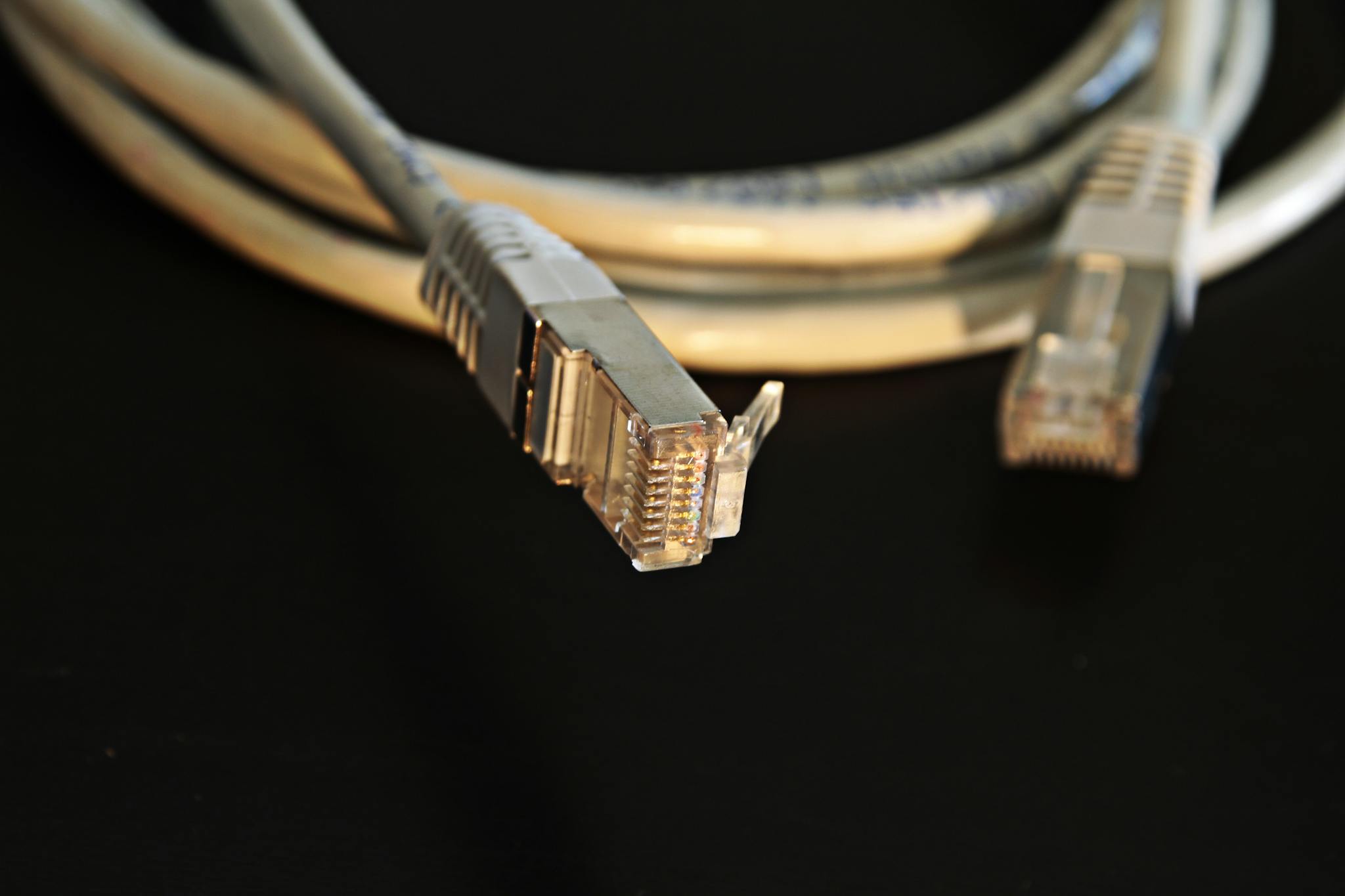
Cat5 (Category 5) is a type of Ethernet cabling used to carry data around your home or office. When people talk about cat5 cabling, they usually mean the familiar blue or white cat5 data cable that plugs into your router, network switch or hardwired wall socket.
Inside a standard cat5 cable ethernet are four twisted pairs of copper wires, designed to reduce interference and carry network signals reliably. In practice, most modern UK homes actually use Cat5e (enhanced Cat5), even if it’s casually called Cat5. Cat5e supports up to 1 Gbps over 100 metres, which is more than enough for the vast majority of UK home broadband connections.
Why hardwire a home network in the UK?
Many UK homes rely entirely on Wi‑Fi, but our building materials work against wireless signals. Brick and block walls, thick party walls in terraces, and steel RSJs in extensions all block and reflect Wi‑Fi. The result is dead spots, buffering and unreliable video calls.
By running hardwire cable to key rooms, you bypass those issues. TVs, gaming consoles, home office PCs and CCTV recorders all benefit from a wired connection. It’s especially important if you work from home or your family streams a lot of HD or 4K video.
Best Cat5 cable types for home network hardwiring in the UK
The best Cat5 cable types for home network hardwiring in the UK depend on three things: whether the cable is indoors or outdoors, how far it needs to run, and how much electrical noise is nearby. The right choice will keep your speeds high and your installation reliable for years.
Indoor Cat5 cable
For cables that stay entirely inside the property – in walls, under floors or clipped neatly along skirting – you’ll usually want indoor Cat5e UTP (unshielded twisted pair) with solid copper conductors. Avoid copper‑clad aluminium (CCA) as it doesn’t meet proper performance standards and is more likely to cause issues.
Indoor cat5 cable white is ideal for running along painted skirting or architraves, as it blends in visually. Blue or grey is more common for patch leads in cupboards or behind TVs where appearance matters less.
Outdoor and external Cat5 cable
If any section of your run goes outside – for example, along an external wall, between a house and garden office, or up into a loft where it’s exposed – use cat5 cable external or cat5 cable outdoor. This cable has a tougher, UV‑resistant outer jacket and is more resistant to moisture and temperature changes typical of UK weather.
External Cat5 is usually black and slightly thicker than its indoor equivalent. You can run it along brickwork, fences or into outbuildings. At Hardwire.uk we often transition from external to internal cable at a junction point or through‑wall box, keeping your indoor spaces neat while still protecting exposed sections.
Shielded vs unshielded Cat5
Another decision is whether to use cat5 cable shielded (FTP or STP) or unshielded (UTP). Shielded cable includes extra foil or braid to help block electromagnetic interference. In a typical UK house, unshielded Cat5e UTP is fine when cables are routed sensibly away from mains power and heavy electrical equipment.
Shielded Cat5 makes sense when cables must run very close and parallel to mains cables for long distances, or near noisy kit such as EV chargers, solar inverters or lift motors. If you do use shielded cable, it must be properly grounded through shielded connectors and your patch panel or switch. Otherwise, the shielding can act like an aerial and make interference worse instead of better.
Choosing the right Cat5 cable length
Length matters for both performance and practicality. The Ethernet standard recommends a maximum of 100 metres for a single Cat5e run, including patch leads at each end. In real UK homes, most runs are comfortably under this limit, but you still need to pick the right drum or patch lead lengths.
Short patch leads like cat5 cable 5m or cat5 cable 15m are ideal for plugging devices into nearby wall sockets or routers. For example, a 5‑metre lead works well between a router and TV, or from a switch in a cupboard to your main media unit. A 15‑metre lead can bridge longer living rooms or home offices where you can’t run cable in the walls.
For permanent structured cabling, you’ll typically buy bulk drums such as cat5 cable 50m, cat5 cable 50 meters or cat5 cable 100m. A 50‑metre drum might be enough to wire a couple of rooms from a cupboard under the stairs. A 100‑metre reel is usually enough to give a three‑bed semi several Ethernet outlets in key rooms.
Cat5 cable bandwidth and UK internet speeds
Many UK homeowners ask whether Cat5 is still fast enough. Properly installed Cat5e can carry 1 Gbps at up to 100 metres, with a cat5 cable bandwidth of 100 MHz. That comfortably covers most current UK broadband packages, which commonly range from around 50 Mbps up to 900 Mbps on full‑fibre connections.
Even if your internet connection is slower, using Gigabit‑capable cat5 cable ethernet between rooms allows fast file transfers between desktops, NAS drives and media servers inside the house. It also keeps latency low for gaming and video calls, which is just as important as raw speed for a good experience.
Cat5 cable colours, standards and pinouts
Inside a typical cat5 data cable are four twisted pairs of wires with specific cat5 cable colours: orange, green, blue and brown, each with a solid and a striped version. To keep your network reliable, every termination must follow a recognised wiring standard.
In UK homes, we nearly always use the TIA/EIA‑568B standard for cat5 cable pinout. That means, when you look at the front of an RJ45 plug with the clip at the back, the pins from left to right are: white‑orange, orange, white‑green, blue, white‑blue, green, white‑brown, brown.
Keeping to 568B on all your cat 5 cable and connectors – plugs, wall jacks and patch panels – means any cable you make will work with any standard networking equipment. Mixing wiring schemes between ends is one of the fastest ways to create mysterious network problems.
Cat5 cable termination and RJ45 connectors
Good cat5 cable termination is vital for performance. Poorly crimped plugs or mis‑wired jacks cause intermittent faults, random disconnections and frustrating speed drops. At Hardwire.uk we terminate and test every run so you don’t have to think about it.
For patch leads, you’ll use cat5 cable rj45 plugs on the ends of flexible stranded cable. For fixed wiring in the walls, it’s better to use solid‑core cable punched down onto keystone jacks or wall plates, with short patch leads to connect devices. This keeps mechanical stress off the permanent cabling.
Many DIYers follow a cat5 cable termination diagram when crimping their first plugs. The important points are to maintain the twist of each pair right up to the connector, trim the jacket cleanly, and use the same pinout at both ends. A basic cable tester is a good investment; it will quickly flag up swapped pairs or bad crimps before you close up walls or floorboards.
Using junction boxes, joiners, couplers and extenders
Sometimes you need to extend an existing cable or join two shorter lengths. Products like a cat5 cable junction box, cat5 cable joiner, cat5 cable coupler or cat5 cable extender can help, but they should be used sparingly.
A proper junction box lets you punch down both cables onto IDC terminals while keeping the pairs organised. Couplers and joiners allow you to click two RJ45 plugs together back‑to‑back. These are fine for temporary fixes or non‑critical devices, but every extra join introduces a tiny bit of loss and another potential failure point.
For permanent home networking installation in a UK property, the gold standard is always a single, continuous cable from the switch to the wall socket. If a run is genuinely too short and replacing it is impossible, then a well‑made junction box is more robust than three different couplers hidden behind furniture.
Cat5 cabling vs Wi‑Fi in UK homes
Wi‑Fi has improved a lot in recent years, but it still struggles in the kinds of properties we see around the UK: thick brick walls, loft conversions with steelwork, extensions, and long, narrow terraces. Even the best mesh systems can only do so much if they’re fighting the building itself.
Hardwiring core devices with home network cabling takes the pressure off your wireless network. Your smart TVs, gaming consoles, CCTV recorders and home office PCs all run over hardwire socket connections, leaving Wi‑Fi free for mobiles and tablets. This hybrid approach gives you the best of both worlds – reliability for fixed kit, flexibility for portable devices.
Common Cat5 installation mistakes in UK homes
Over the years we’ve been called out to fix many DIY networking jobs. Some of the issues are small, but others can seriously limit your speeds and reliability. Here are the big mistakes to avoid:
- Running cat5 data cable directly alongside mains cables for long distances, instead of crossing at right angles or keeping a sensible gap.
- Using cheap CCA cable instead of solid copper, which doesn’t meet the proper specification and can overheat when used with Power over Ethernet.
- Using indoor PVC cable outside instead of proper cat5 cable outdoor or cat5 cable external with a UV‑resistant jacket.
- Chaining together lots of cat5 cable coupler and cat5 cable extender units instead of installing one correct‑length cable.
- Guessing the cat5 cable colours order without following a recognised pinout, then wondering why the connection only works at 10 or 100 Mbps instead of Gigabit.
- Not testing cables before decorating, which can mean tearing up finished work to fix a simple wiring error.
By avoiding these traps and choosing the best Cat5 cable types for home network hardwiring in the UK, you’ll end up with a network that feels fast and stable, not temperamental and fragile.
FAQs about Cat5 cabling in UK homes
Is Cat5 still suitable for UK broadband speeds?
Yes. For most households, Cat5e is more than adequate. With support for up to 1 Gbps on standard runs, it covers the majority of current UK fibre and cable packages. The key is using good‑quality cable and correct terminations.
What’s the maximum length for Cat5 cable?
A single run of Cat5e, including patch leads at each end, should not exceed 100 metres. Within that limit you’ll get full performance for typical home network applications, from streaming and gaming to working from home.
Do I need shielded Cat5 cable in my house?
Most UK homes don’t need shielded Cat5. If you can route cables sensibly away from mains wiring and heavy electrical kit, unshielded UTP is perfect. Shielded cable is better reserved for special situations where interference is a known issue.
Can I run Cat5 cable outside?
You can, but you must use proper cat5 cable external or outdoor‑rated cable for any exposed sections. Indoor PVC cable will degrade quickly in sunlight and damp conditions, leading to faults and intermittent performance.
Can I join two Cat5 cables together?
You can use a cat5 cable junction box, cat5 cable joiner or cat5 cable coupler to join two shorter cables, but it’s always better to run a single continuous cable where possible. Every join is a potential weak point.
Final verdict: best Cat5 cable types for UK home networks
For most UK homeowners, the best approach is simple:
- Use solid copper, unshielded Cat5e cable indoors for long runs, ideally in discreet cat5 cable white where it’s visible.
- Choose cat5 cable outdoor or cat5 cable external for any exposed sections on outside walls or between buildings.
- Stick to recognised pinouts and proper cat5 cable termination techniques so every run tests cleanly at Gigabit speeds.
- Keep individual runs under the 100‑metre limit and avoid unnecessary joins, couplers and extenders.
Done properly, your wired home network will feel effortless – no more buffering when someone else starts a Zoom call, no more game lag when the kids are streaming, just stable, consistent performance wherever you’ve installed a hardwire socket.
If you’d like a local specialist to design and install the right Cat5 cable types for home network hardwiring in the UK for your property, Hardwire.uk can help. Call me, Gary Pearce, on 07830 683 837 and we’ll get your home network running the way it should.